





Understanding the Features of Insta360
Key Specifications for Optimal Performance
The Insta360 range of cameras offers innovative features designed to enhance user experience and capture stunning visuals. Key specifications often include resolutions up to 8K, high frame rates enabling smooth motion capture, and advanced stabilization technology. For instance, users can benefit from FlowState stabilization, which ensures that videos remain steady, regardless of the environment. Additionally, many models come with impressive battery life, making them suitable for extended shoots. It’s crucial to understand these features to fully unleash the potential of the device, particularly in challenging shooting conditions.
How to Choose the Right Insta360 Model
Selecting the appropriate Insta360 model hinges on various factors such as intended use, desired quality, and budget. For beginner users, the Insta360 ONE X2 offers an enticing blend of accessibility and performance, making it ideal for casual photography and social media content. On the other hand, professionals might opt for models like the Insta360 ONE RS that provide interchangeable lenses and pro-grade features. It’s essential to analyze each model’s specifications, including battery life, connectivity options, and ruggedness, to ensure it aligns with your creative vision.
Getting Started with Setup and Configuration
Setting up your Insta360 device is a straightforward process, but understanding the nuances can significantly enhance your shooting experience. Start by charging your camera fully before first use. Then, download the Insta360 app, which simplifies firmware updates and device control. Familiarize yourself with the camera’s settings through the app to adjust resolution, frame rate, and shooting mode. Proper configuration according to your shooting scenario, such as outdoor conditions or low lighting, can dramatically improve the quality of your captures.
Essential Photography Techniques with Insta360
Mastering 360-Degree Photography Basics
360-degree photography transforms the way moments are captured by offering an immersive perspective. Understanding the basics involves mastering the camera’s positioning; you should ideally place your camera at eye level to capture authentic scenes. Techniques such as creating a tripod or using a self-stabilizing gimbal can enhance the stability of your images. Additionally, practicing with different angles and orientations will help capture images that feel more dynamic and compelling.
Creative Shooting Angles and Perspectives
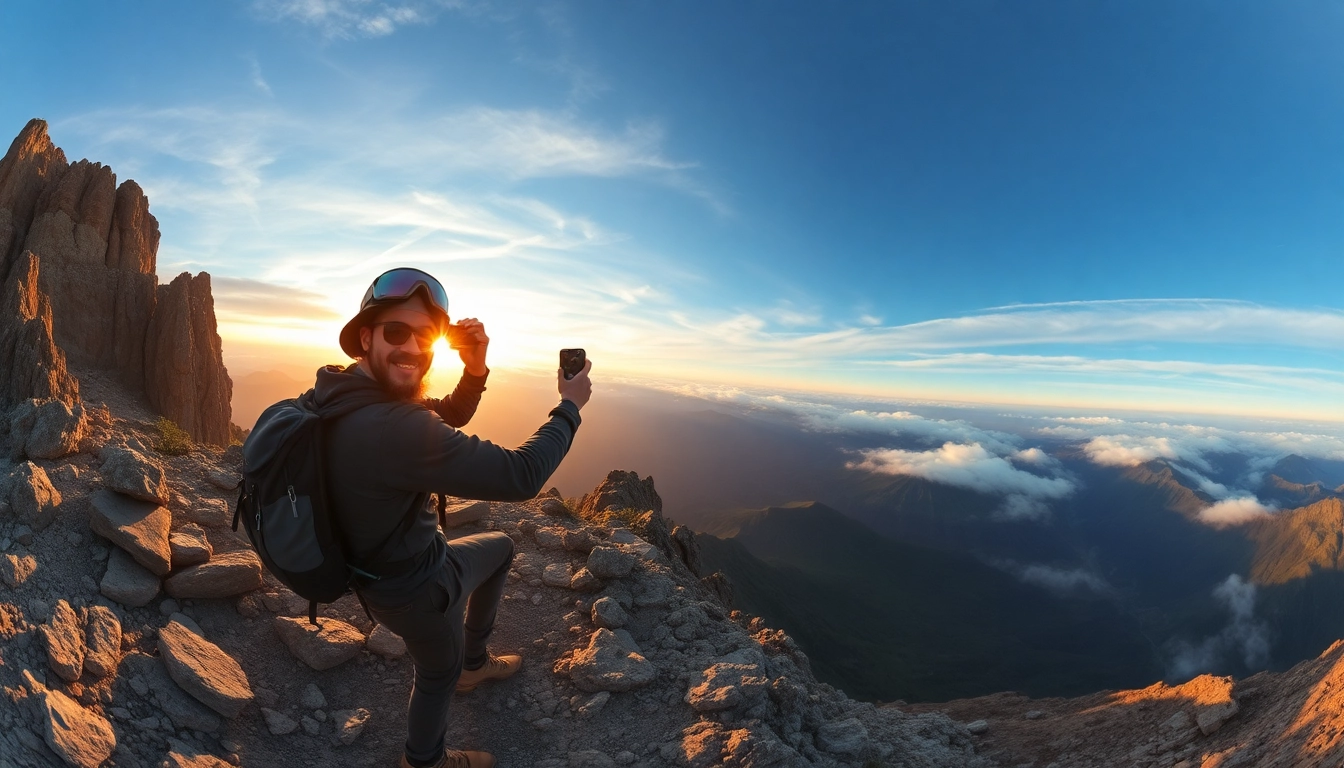
The true power of Insta360 cameras lies in their ability to provide unique angles. Experimenting with aerial shots, low-angle perspectives, and dynamic movement techniques can significantly enhance the storytelling aspect of your photos and videos. Using mounts or poles can help achieve stunning overhead views or dramatic ground-level shots that draw viewers into the scene. Don’t shy away from combining these elements with unexpected transitions to keep your content fresh and engaging.
Using Lighting to Your Advantage
Lighting is fundamental to photography, and with Insta360 cameras, it’s even more crucial given the widespread coverage they provide. Utilizing natural light during the golden hour can yield amazing results, softening harsh shadows. If you encounter low-light situations, understanding your camera’s exposure settings and ISO capabilities will help mitigate graininess. Alternatively, consider using portable lighting gear, which can provide additional illumination and enhance the overall quality of your imagery.
Editing and Enhancing Insta360 Images
Best Software for Post-Processing
Post-processing is where your creativity can shine. Utilizing compatible software such as Insta360 Studio or Adobe Premiere Pro will allow you to edit your 360-degree photos and videos effectively. These platforms often provide features tailored for 360-degree content, such as stitching capabilities and previews for virtual reality. Investing time in mastering these tools can drastically improve the polish and professionalism of your final pieces.
Tips for Color Grading Your Photos
Color grading adds an artistic touch to your photographs. Within editing software, explore tools to adjust vibrancy, contrast, and hue. Utilizing LUTs (Look-Up Tables) can provide predefined settings for quick color fixes, while manual adjustments can often yield more personalized results. When grading, be mindful of maintaining a natural look, especially in landscapes, to ensure your audience connects emotionally with your content.
Adding Effects for Impactful Storytelling
Incorporating effects can elevate storytelling in your visual narratives. Using features like time-lapse, hyperlapse, and slow-motion can help communicate the narrative pace and draw viewers into different moments. Don’t forget to leverage transitions and overlay effects during the editing phase, as they can create a more engaging flow. This attention to detail can make your content not only an image but an experience that captivates viewers.
Sharing and Promoting Your Insta360 Content
Social Media Platforms for Maximum Reach
To get the most out of your content, choose social media platforms that support 360-degree media. Platforms such as Facebook, YouTube, and Instagram offer unique support for such content, allowing for enhanced viewer engagement. Share your images and videos in gallery formats or combine them into compelling clips that capture attention. Tailoring your content to each platform’s audience will also help maximize reach.
Effective Hashtags and Keywords
Utilizing the right hashtags and keywords can extend your visibility online. Research trending hashtags related to 360 photography, adventure, or particular events related to your content area. Using these strategically in your posts not only increases the likelihood of engagement but can also help attract a targeted audience, making it easier to connect with potential followers who share similar interests.
Engaging Your Audience with Interactive Content
Creating interactive content fosters deeper engagement with your audience. Consider using polls, surveys, or call-to-actions that encourage viewers to share their experiences or thoughts related to your captured moments. Engaging with comments and seeking feedback can also build community as users feel their opinions are valued, fostering richer interactions beyond mere viewing.
FAQs About Using Insta360 Cameras
What is the battery life of Insta360 cameras?
Typically, Insta360 cameras have a battery life ranging from 60 minutes to over 2 hours, depending on the model and settings.
Can I use Insta360 for live streaming?
Yes, many Insta360 models support live streaming, allowing you to share immersive content in real-time.
How does the stitching process work?
Stitching combines multiple images captured by the camera into a seamless 360-degree view, often performed automatically in the editing software.
What accessories are compatible with Insta360?
Insta360 cameras are compatible with various accessories like tripods, mounts, and protective cases to enhance usability and creative options.
Is Insta360 user-friendly for beginners?
Yes, Insta360 cameras come with intuitive interfaces and tutorial resources that make them accessible to new users and photography enthusiasts.