






Understanding Cronus zen: An Introduction
What is Cronus zen?
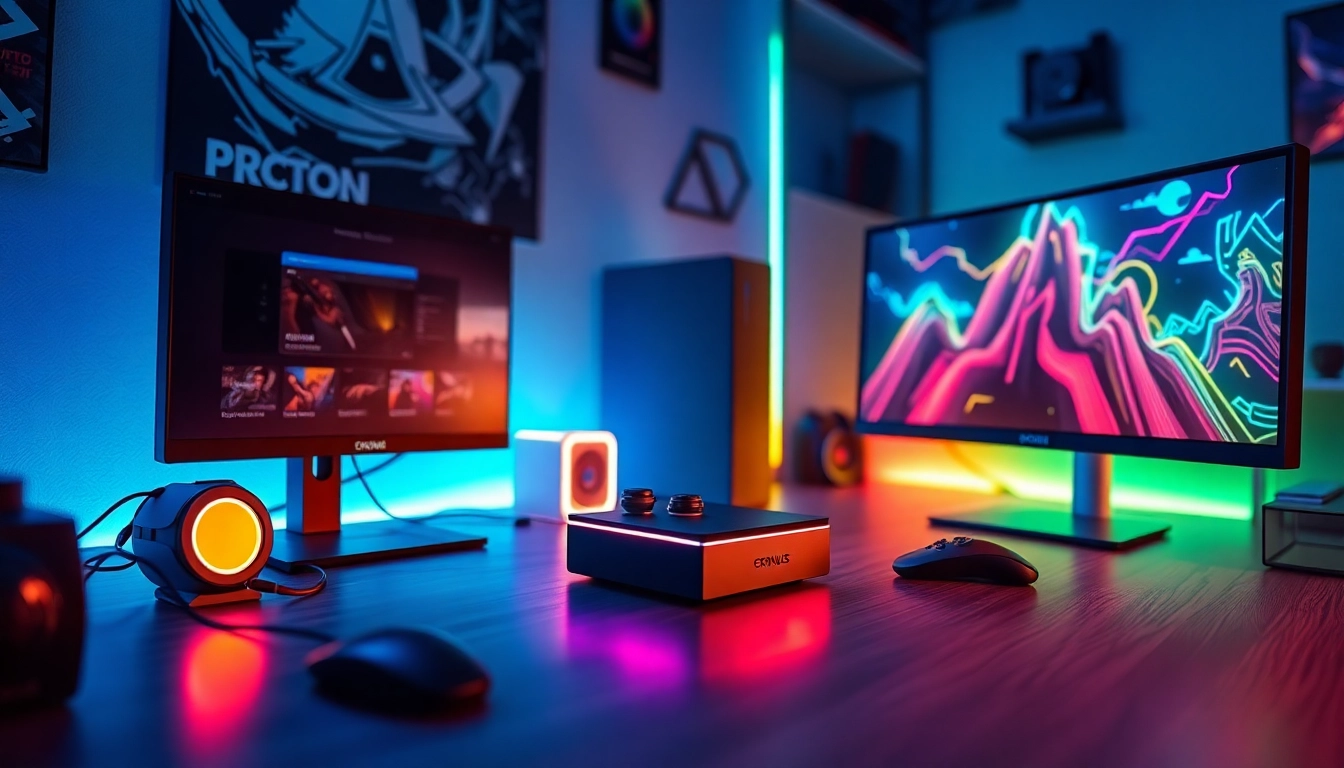
Cronus zen is a state-of-the-art gaming device that enhances your gaming experience across multiple platforms, including PC, Xbox, and PlayStation. By integrating seamlessly with various consoles, Cronus zen enables users to utilize scripts and macros that can significantly improve gameplay. This versatility and functionality have made it a popular choice among competitive gamers who are looking to tailor their gaming controls and strategies for optimal performance. At its core, Cronus zen allows for the customization of input methods, providing a fresh approach to traditional gaming mechanics.
Key Features of Cronus zen
Cronus zen is equipped with several powerful features that cater to both casual and competitive gamers. Some of the key features include:
- Universal Compatibility: Supports a wide range of consoles, allowing players to switch between systems without losing functionality.
- Advanced Scripting: Users can upload and create custom scripts to enhance their gameplay by automating complex actions.
- Macro Capabilities: With the ability to assign multiple commands to a single button press, players can execute complicated moves effortlessly.
- Smart Technology: Features like rapid-fire, drop-shot, and aim assist that can be tailored to fit individual playing styles.
- Regular Updates: The device receives ongoing firmware updates to improve performance and add new features, keeping it relevant in a rapidly evolving gaming landscape.
Benefits of Using Cronus zen
Using Cronus zen offers numerous benefits to gamers. These include:
- Competitive Edge: By leveraging the various options provided by Cronus zen, players can enhance their skills and gain a significant competitive advantage over opponents.
- Customizable Play Styles: Individual preferences can be accommodated, allowing gamers to hone their unique styles and methods.
- Easier Gameplay: Simplifying complex actions allows gamers to focus on strategy rather than difficult maneuvers.
- Community Support: With a vibrant online community, users can share scripts and techniques, continually finding ways to improve their gaming experience.
Setting Up Your Cronus zen for Success
Initial Setup and Configuration
Setting up your Cronus zen correctly is essential for maximizing its performance. To begin, unbox your device and follow these steps:
- Download the required Cronus zen software from the official website.
- Connect your Cronus zen to your computer using the provided USB cable.
- Open the Cronus zen software and allow it to install any necessary drivers.
- Configure your device according to your preferred gaming genre, adjusting settings such as sensitivity and button mapping.
Connecting Cronus zen to Your Console
After configuring your device, you’ll need to connect it to your console. This process can vary depending on your platform:
- For PlayStation: Connect the Cronus zen to the console using a USB cable. Ensure the device is in the correct mode by consulting the manual.
- For Xbox: Follow the same USB connection process, ensuring to use the appropriate pairing method if prompted.
- For PC: Connect as you would any standard controller; Cronus zen will be recognized automatically.
Optimizing Settings for Best Performance
To get the best results from your Cronus zen, you’ll want to dive into various settings. Key areas to optimize include:
- Aim Sensitivity: Adjust this to match your playstyle, enhancing target acquisition.
- Button Mapping: Customize button layout to ensure quick access to essential functions.
- Script Performance: Test different scripts in practice modes to identify what boosts your gameplay without causing lag.
Advanced Techniques for Winning with Cronus zen
Custom Scripts to Enhance Gameplay
A significant advantage of using Cronus zen is the ability to implement custom scripts. These scripts can automate specific actions or enhance gameplay in substantial ways. For effective script usage:
- Research Proven Scripts: Start by exploring community forums for well-reviewed scripts that enhance your chosen game.
- Test and Tweak: After loading a script, spend time in offline modes to fine-tune settings according to your preferences.
- Be Creative: Experiment with writing or modifying scripts to discover unique benefits tailored specifically to your gameplay.
Utilizing Macros Effectively
Macros can redefine how you play your favorite games. Through Cronus zen, you can create complex sequences that execute with a single press.
- Assign Common Commands: Automate recurring actions to save time and minimize errors during critical moments.
- Practice Execution: Familiarize yourself with macro usage in practice modes before attempting them in live matches.
- Keep it Simple: Avoid overwhelming yourself with overly complex macros; start with simple ones and build from there.
Strategies to Gain Competitive Advantage
Successful use of Cronus zen hinges on strategic application. Here are several strategies to consider:
- Adapt to Game Meta: Stay updated with any changes in game’s mechanics to alter your scripts or macros as necessary.
- Watch Professional Play: Analyze how professional gamers utilize their inputs to inform your own strategies and tool application.
- Engage with the Community: The Cronus zen community is a wealth of information and support, offering collaborations that can refine your strategies.
Troubleshooting Common Cronus zen Issues
Connection Problems and Solutions
Connection issues can be frustrating. Here are some common problems and solutions:
- Device Not Recognized: Ensure the Cronus zen software is properly installed and your device’s firmware is updated.
- Controller Not Responding: Check all connections: unplug and replug the USB cable or restart your console.
- Inconsistent Performance: Switch USB ports on your console or computer, as some may offer better power delivery and connection stability.
Performance Lag: Identification and Fixes
Lag can hinder performance, but here are ways to identify and fix it:
- Testing Input Delay: Use the feedback settings in your Cronus zen software to identify if a delay exists and make necessary adjustments.
- Clear Background Tasks: Ensure that no unnecessary applications are running that may be consuming resources.
- Maintain Firmware Updates: Regularly check for updates to keep your device functioning optimally.
Firmware Updates and Maintenance
Keeping your Cronus zen updated is vital for optimal performance. Regular checks for firmware updates ensure your device remains competitive and compliant with current game standards.
- How to Update: Open the Cronus zen software and navigate to the update section. Ensure you have a stable internet connection during this process.
- Regular Maintenance: Physically clean the device and contacts to ensure longevity and prevent connectivity problems.
Community Insights and Resources for Cronus zen Users
Online Communities and Forums
Becoming an active part of the Cronus zen community can greatly enhance your gaming experience. Online forums and dedicated community pages are treasure troves of information, offering:
- Script Sharing: Users often share and discuss scripts that have been effective across different games.
- Technical Advice: Problem-solving threads where users can share their experiences and solutions.
- Strategy Discussions: Analyze approaches to various games that can help you gain a strategic advantage.
Tips from Experienced Cronus zen Users
Learn from seasoned users who have shared their top tips:
- Start Slow: Familiarize yourself with basic functions before delving into more complex scripts.
- Experiment: Don’t be afraid to try out different settings to find what works best for you.
- Stay Engaged: Regularly participate in community events and discussions to keep updated on the latest methods and tools.
Staying Updated with Cronus zen Innovations
Innovation is key in the world of gaming peripherals, and staying informed about new features, scripts, and community activities is essential. Follow trusted websites, YouTube channels, and gaming forums for the latest information. It’s also wise to check the Best Fortnite script videos and tutorials from experts that highlight new scripts and innovative uses of Cronus zen.