





Understanding the Basics of DXF Files for Laser Cutting
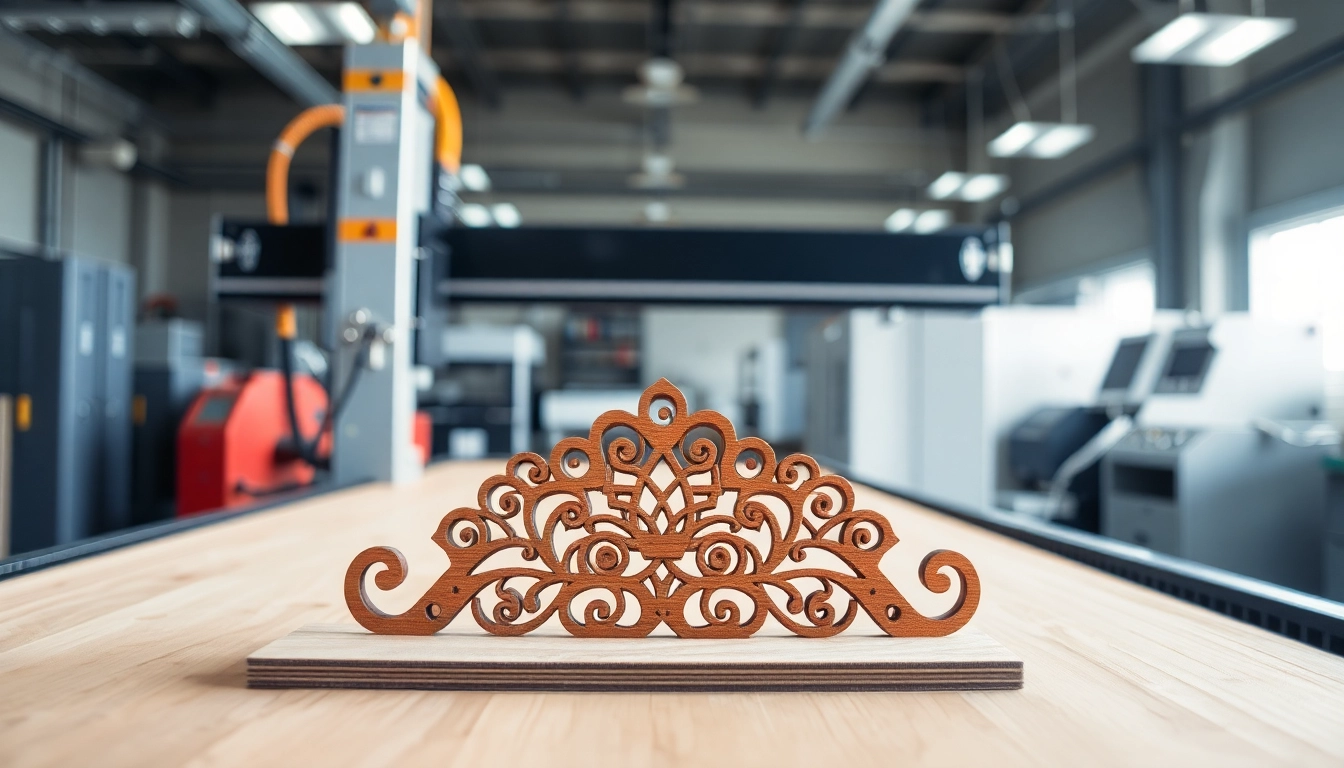
If you’re delving into the world of laser cutting, understanding dxf file for laser cutting is fundamental. These files serve as the backbone for many designs, allowing for precision and versatility in various applications. Let’s explore what DXF files are, their application, and why they are the preferred choice for laser cutting.
What is a DXF File?
DXF, or Drawing Exchange Format, is a vector graphic file format developed by Autodesk. Designed to guide CNC (Computer Numerical Control) machines, including laser cutters, it allows for the representation of both 2D and 3D drawings. Essentially, DXF files contain information about shapes, curves, lines, and other elements necessary for cutting or engravings, making them ideal for laser applications.
Types of Laser Cutting Applications
Laser cutting encompasses a wide range of applications across various industries:
- Manufacturing: Used to create precise parts and components.
- Art and Design: Enables intricate designs in various materials for artists.
- Aerospace: Produces lightweight, precision-engineered parts.
- Automotive: Assists in manufacturing various automotive components efficiently.
- Jewelry Making: Provides precision in creating unique designs.
Why Choose DXF Files for Laser Cutting?
There are several reasons why DXF files are preferred for laser cutting:
- Precision: The format allows for precise geometry, essential for detailed outlines and shapes.
- Compatibility: Most laser cutting machines can readily interpret DXF files, ensuring seamless integration into the workflow.
- Flexibility: DXF files can contain both 2D and 3D data, making them versatile for different projects.
How to Create a DXF File for Laser Cutting
Tools Needed for Creating DXF Files
To create a DXF file, you will need various tools:
- Vector Graphic Software: Programs like Adobe Illustrator, Inkscape, and CorelDRAW are popular choices.
- CAD Software: Software like AutoCAD or SolidWorks allows for more advanced technical designs.
- Raster to Vector Converters: Tools that convert image files to vector formats.
Step-by-Step Guide to Creating a DXF File
- Design Your Project: Begin with creating the design in your chosen software, ensuring it meets your specifications.
- Save As DXF: Use the ‘Export’ or ‘Save As’ function in your software to choose DXF as your format.
- Select Settings: Adjust settings related to line width, colors, and layers, which influence the cutting process.
- Test the File: Before cutting, it’s crucial to run tests to see if the design cuts accurately.
Common Mistakes to Avoid
Creating DXF files can be tricky; here are common errors:
- Ignoring Scale: Ensure that your design is to scale; otherwise, the cut will not match your expectations.
- Complex Shapes: Avoid overly complicated designs that can confuse the cutter.
- Line Width Issues: Ensure all lines are the correct width for cutting; this can vary by machine.
Best Practices for Using DXF Files in Laser Cutting
Optimizing Designs for Efficiency
To create efficient designs, consider the following:
- Simplify the Design: Reduce complexity to minimize cutting time.
- Optimize Layout: Arrange components efficiently to maximize material use and minimize waste.
- Use Raster Images Sparingly: Prefer vectors over raster images, as they are cleaner and more efficient for cutting.
Testing Your Files Before Cutting
Before committing to cutting your final project, conduct tests using scrap materials:
- Conduct a small-scale test cut.
- Check for accuracy in dimensions.
- Assess the quality of the cut edges.
Choosing the Right Materials for Cutting
The choice of material significantly influences the outcome of your laser cutting:
- Wood: Popular choice due to ease of cutting and aesthetics.
- Acrylic: Offers vibrant colors and finishes, favorable for design projects.
- Metal: Requires more powerful lasers but can produce intricate designs.
Where to Find Free DXF Files for Laser Cutting
Top Websites Offering Free Files
Many online platforms offer free DXF files suitable for laser cutting:
- Free DXF – A vast repository of ready-to-cut files.
- 3Axis – Provides thousands of free DXF files across various categories.
- DXFforCNC – Specializes in free files for metal decor and arts.
Community Resources and Forums
Engaging with communities can be a great way to discover new designs:
- Reddit: Subreddits like r/lasercutting offer insights and user-shared DXF files.
- Instructables: A community where people share tutorials and design links.
Creating Custom Designs
Consider designing unique files using your creativity:
- Utilize original sketches or graphics software to bring your ideas to life.
- Transform personal artwork into professional-grade DXF files suitable for cutting.
Future Trends in DXF Files for Laser Cutting
Advancements in Software and Tools
As technology evolves, so does the software used for creating DXF files:
- Integration of artificial intelligence to streamline design processes.
- Improvements in CAD software will simplify workflow and enhance precision.
The Impact of AI on Design Creation
Artificial intelligence is reshaping design by producing intricate patterns and structures rapidly:
- Algorithms can analyze existing designs and suggest enhancements.
- AI-based tools offer automated adjustments to DXF files for optimal cutting.
Emerging Materials and Techniques
The expansion of materials available for laser cutting is noteworthy:
- Innovation in composite materials that combine strength and lightweight requirements.
- Emergence of new methodologies, such as hybrid laser cutting systems.
FAQs about DXF Files for Laser Cutting
What are DXF files for laser cutting?
DXF files are vector-based graphics used to control laser cutting machines, translating designs into cutting instructions. They ensure precision and accuracy in laser cutting projects.
How to create a DXF file for laser cutting?
Start by designing in vector graphic software, then export your design as a DXF file. Check settings and dimensions before cutting to ensure accuracy.
Is DXF or SVG better for laser cutting?
DXF files are generally better for laser cutting, as they are specifically designed for technical drawings and precision cutting, making them ideal for CNC machining.
Can I convert other file types to DXF?
Yes, you can convert various image formats like SVG or raster images into DXF using vector graphic software or online converters, but ensure the quality is maintained.
Are there free resources for downloading DXF files?
Yes, several websites and community forums offer free DXF files. Some popular ones include Free DXF, 3Axis, and DXFforCNC, which host a variety of designs.